Deep Work and Focus Time: Protecting High-Value Work Hours
Track Nexus Editorial Team
Workforce Productivity Experts

Deep work, the ability to focus without distraction on cognitively demanding tasks, is the most valuable skill in the modern knowledge economy. Yet the average knowledge worker gets just 2 hours and 48 minutes of deep work per day, with the rest consumed by meetings, Slack messages, email, and context switching. Protecting and expanding focus time is the single highest-leverage productivity intervention available.
The Hidden Cost of Context Switching
Research by Dr. Gloria Mark at UC Irvine reveals that the average knowledge worker is interrupted every 11 minutes and takes 23 minutes to fully regain focus. This means most people never achieve deep focus during a typical workday fragmented by meetings, messages, and notifications. The cost is staggering—both in lost productivity and in the quality of work produced.
Every context switch has a measurable productivity cost:
- Attention residue: It takes 20-30 minutes to fully refocus after switching between unrelated tasks. During this transition, cognitive performance drops by 20-40%
- Quality reduction: Errors increase by up to 50% when people frequently switch between complex tasks, leading to bugs in code, mistakes in financial models, and oversights in client deliverables
- Motivation loss: Flow state—the highly productive mental zone where your best work happens—requires 15-20 minutes of uninterrupted focus to achieve. Constant interruptions make flow nearly impossible
- Meeting overhead: Calendar fragmentation creates an illusion of available time. A day with six 30-minute meetings scattered across it yields far less productive output than a day with three hours of meetings clustered together
- Cognitive fatigue: Multiple context switches accumulate mental exhaustion throughout the day. By afternoon, decision quality and creative output decline significantly
- Actual time loss: A developer with 8 hours on their calendar but meetings at 9:30, 11:00, 1:00, 2:30, and 4:00 may have only 2-3 hours of genuinely productive deep work time
Track Nexus quantifies context switching patterns for each team member, revealing the true cost of calendar fragmentation and providing data to justify protected focus time policies.
Creating Protected Focus Time
Focus time doesn't happen by accident—especially in organizations where the default culture is real-time responsiveness and open calendars. Creating protected focus time requires deliberate policy changes, cultural shifts, and the right tools to enforce boundaries without creating friction.
Build focus time into your team's culture with these proven strategies:
- Schedule deep work blocks on calendars (with automatic meeting decline)—designate specific hours as 'Focus Time' and configure calendar tools to automatically decline meeting invitations during these blocks
- Create communication norms (async-first, batch messages)—establish that Slack messages don't require immediate response. Encourage team members to batch-check messages 2-3 times daily rather than monitoring continuously
- Implement focus time across teams (company-wide quiet hours)—companies like Shopify and Asana have implemented 'No Meeting Wednesdays' or 'Focus Fridays' that protect entire days for deep work across the organization
- Use status indicators effectively (Do Not Disturb modes)—make it socially acceptable and expected to go DND during focus blocks. Leadership should model this behavior visibly
- Provide appropriate work environments (quiet spaces, noise-canceling tools)—physical office design should include quiet zones and focus rooms. For remote workers, provide noise-canceling headphone stipends
- Measure and report on focus time metrics—Track Nexus monitors focus time blocks per person per week, helping managers ensure their teams have adequate uninterrupted time for high-quality work
Organizations that implement structured focus time policies typically see a 25-40% increase in deep work output within the first month, with improvements in code quality, design thoroughness, and strategic thinking quality.
Tools and Environment for Deep Work
The environment in which you work profoundly affects your ability to enter and maintain a state of deep focus. Cal Newport, author of 'Deep Work,' argues that the ability to perform deep work is becoming increasingly rare and increasingly valuable in our economy. Organizations that create the right conditions for deep work gain a significant competitive advantage.
Optimize conditions for deep work with these tools and environmental strategies:
- Notification management tools—use Focus modes on macOS/iOS or Focus Assist on Windows to silence non-critical notifications. Consider tools like Freedom or Cold Turkey to block distracting websites during focus periods
- Time blocking applications—tools like Clockwise, Reclaim.ai, or simply Google Calendar's Focus Time feature help protect blocks automatically and reschedule meetings around them
- Distraction-free writing environments—for content creation, use tools like iA Writer, Bear, or full-screen mode in any editor to minimize visual distractions
- Dedicated quiet spaces or remote work options—provide physical environments optimized for concentration. Open offices should include library-style quiet zones with clear behavioral expectations
- Background music or white noise—research shows that moderate ambient noise (around 70 dB) can enhance creative thinking. Tools like Brain.fm, Noisli, or lo-fi music streams help many professionals focus
- Break management and recovery time—the Pomodoro Technique (25 minutes of focus, 5-minute break) or longer 90-minute deep work sessions with 15-minute breaks align with natural ultradian rhythms
Track Nexus helps individuals and teams identify their optimal focus conditions by analyzing when their most productive work occurs, what application patterns correlate with high-quality output, and how long their effective focus sessions last. This personalized data helps each person design their ideal deep work routine.
Advanced Analytics and Insights
Track Nexus harnesses artificial intelligence for next-level productivity insights:
- AI Productivity Scoring: Machine learning generates personalized scores from work patterns
- Smart Recommendations: AI suggests workflow optimizations for your team's unique patterns
- Predictive Analytics: AI forecasts trends and flags bottlenecks before they impact deadlines
- Automated Focus Detection: AI identifies deep work blocks and protects them from interruptions
- Intelligent Workload Balancing: AI recommends task redistribution for balanced utilization
- Pattern Recognition: AI surfaces hidden productivity patterns across teams and projects
Want to See It in Action?
Explore how Track Nexus's AI-powered features can transform your team's productivity with a live demo.
Use Cases & Applications
Discover how organizations use this solution to improve their operations
Software Development Teams
Maximize coding time and reduce meeting overhead
Writers and Designers
Protect creative work time from interruptions
Research Teams
Create conditions for complex analytical work
Consulting Firms
Improve billable hour quality and project delivery
Frequently Asked Questions
Common questions about deep work and focus time
How do I protect focus time without seeming unavailable?
What about meetings I cannot avoid?
How much focus time is realistic?
Do developers really need this much focus time?
Explore More Insights
Continue learning with these related articles
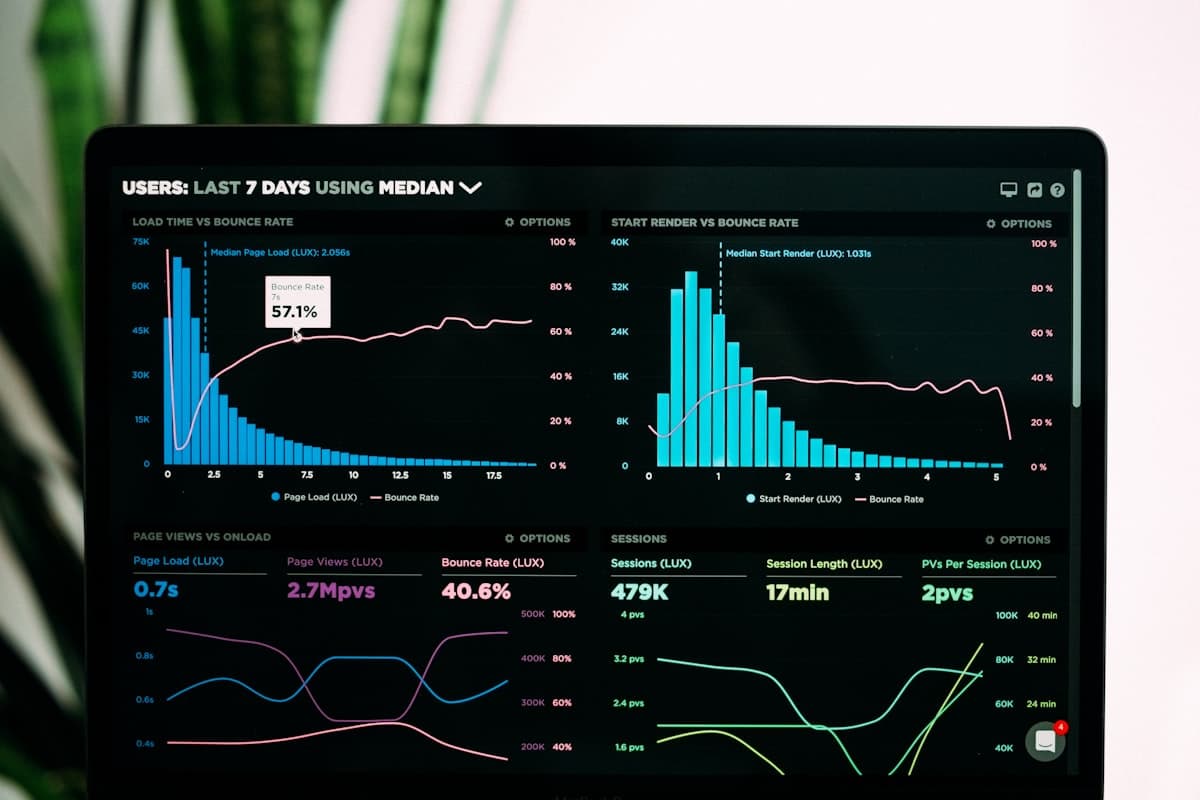
Productivity Tracker: How They Work, What They Measure, and How to Choose One
A productivity tracker is software that records how work time is actually spent — across applications, documents, projects and locations — and turns that record into something a manager can act on. That is the easy part to explain. The hard part, and the reason so many rollouts fail, is that 'productivity' is not a single number the software can read off a sensor. It is an inference built on top of raw activity data, and the quality of that inference depends entirely on what the tool measures and what you ask it to mean. This guide covers what these tools genuinely capture, the arithmetic behind the dashboards, where the measurements break down, and how to evaluate a tracker for a real team. It is written for the person who has to choose one and then defend that choice to both a finance director and the people being tracked.
Time Management Software: Master Your Schedule and Boost Productivity
Time management software helps employees and managers plan, allocate, and optimize how work hours are spent across tasks, projects, and priorities. Unlike simple timers, modern timekeeping software for employees provides scheduling, capacity planning, and analytical capabilities that connect individual time decisions to organizational outcomes. Teams using structured time management tools report 27% fewer missed deadlines according to a 2025 PMI survey.

Employee Monitoring Software: Ethical Oversight for Modern Teams
Employee monitoring software has evolved from simple keystroke loggers into comprehensive workforce analytics platforms. The global market reached $1.6 billion in 2025, driven by the permanent shift to hybrid work and the need for accountability without micromanagement. The best employee monitoring software balances organizational visibility with employee privacy, providing insights that help both managers and team members perform better.

Best Employee Monitoring Software in 2026: An Honest Comparison
Choosing the right employee monitoring software can feel overwhelming. There are dozens of options, each claiming to be the best, and the stakes are high: pick the wrong tool and you risk damaging employee trust, wasting budget, or getting incomplete data that leads to bad decisions. The market has matured significantly since 2024, with privacy-first design and AI-driven insights becoming table stakes rather than differentiators. We spent three months testing eight of the most popular employee monitoring platforms across real teams of 15 to 200 people. Our evaluation covered installation friction, data accuracy, reporting depth, privacy controls, and the often-overlooked factor of employee sentiment. Every tool was scored on the same rubric, and we asked both managers and employees for candid feedback. This guide lays out what we found, including where each tool excels and where it falls short. Whether you manage a fully remote startup or a hybrid enterprise, you will walk away with a clear picture of which solution fits your workflow, budget, and culture.
Ready to Transform Your Productivity?
Join thousands of teams using Track Nexus to optimize their workforce productivity. Schedule a personalized demo today.