Screen Monitoring Software: Everything You Need to Know
Track Nexus Editorial Team
Workforce Productivity Experts

Screen monitoring software captures what appears on employee screens during work hours, ranging from periodic screenshots to continuous video recording to metadata-only activity logs. It is one of the most powerful and most controversial tools in the modern manager's toolkit. Used well, it provides objective data that helps teams improve. Used poorly, it creates a surveillance culture that drives away talent. The global employee monitoring software market reached $1.6 billion in 2025, according to MarketsandMarkets, and is projected to grow at 12.3% annually through 2030. That growth is driven by remote work adoption, but it comes with an increasingly vocal backlash from employees and privacy advocates who argue that constant screen surveillance crosses a line. This guide takes a balanced approach. We will cover the legal landscape, the ethical considerations, the practical use cases where screen monitoring genuinely adds value, and the situations where lighter-touch alternatives achieve the same goals with less friction. By the end, you will have a clear framework for deciding whether, when, and how to use screen monitoring in your organization.
How Screen Monitoring Software Actually Works
Screen monitoring software operates on a spectrum from lightweight to intensive, and understanding that spectrum is essential before making any decisions.
At the lightweight end are activity-level monitors. These tools track which applications and websites are active without capturing screen content. They record that an employee spent 45 minutes in VS Code and 20 minutes in Slack, but they do not capture what code was written or what messages were sent. TrackNexus operates primarily at this level, using AI to categorize activities into productive and non-productive buckets and generating insights about work patterns without storing sensitive visual data.
In the middle of the spectrum are periodic screenshot tools. These capture a screenshot every 5 to 15 minutes, giving managers a visual record of activity. Some tools blur or redact sensitive content automatically, and employees can typically delete screenshots during personal breaks. This approach provides more evidence of actual work than activity-level tracking, but it also captures incidental personal information like banking tabs or medical searches.
At the intensive end are continuous screen recording and live viewing tools. These capture a complete video stream of the employee's screen and allow managers to observe screens in real time. This level of monitoring is most common in call centers, BPO operations, and high-security environments like financial trading floors. A 2025 Gartner survey found that only 14% of organizations outside those industries use continuous screen recording, down from 19% in 2023, suggesting that the market is moving toward less intrusive approaches.
Behind the scenes, all screen monitoring software requires an agent installed on the employee's device. That agent runs in the background, consuming system resources that range from negligible for activity-level monitors to meaningful for continuous recording tools. Privacy-conscious platforms process data locally and send only aggregated summaries to the cloud, minimizing the data exposure footprint.
The Legal Landscape: What You Can and Cannot Do
The legality of screen monitoring varies significantly by jurisdiction, and the regulatory landscape is shifting rapidly. Getting this wrong can expose your organization to lawsuits, fines, and reputational damage.
In the United States, the Electronic Communications Privacy Act of 1986 generally permits employer monitoring on company-owned devices when conducted for legitimate business purposes. However, state laws layer additional requirements. Connecticut requires prior written notice to employees. Delaware mandates electronic notice displayed each time monitoring is active. New York requires written notice upon hiring and a conspicuous acknowledgment. California's CCPA gives employees the right to know what personal information is collected, including screen monitoring data.
The European Union takes a stricter position. Under GDPR, screen monitoring requires a legitimate interest assessment, data minimization, and in most member states, prior consultation with works councils or employee representatives. The 2024 European Court of Justice ruling in Voigt v. MediaTech established that continuous screen monitoring is disproportionate unless the employer can demonstrate a specific, documented security risk that justifies it. Periodic screenshots may be permissible with proper safeguards, but blanket implementation without a particularized justification is increasingly vulnerable to challenge.
In the Middle East, regulations vary. The UAE's Data Protection Law of 2021 permits workplace monitoring with employee notification, while Saudi Arabia's Personal Data Protection Law requires explicit consent for any data collection beyond what is necessary for the employment relationship.
Across all jurisdictions, the safest legal position combines three elements: written notification before monitoring begins, a clearly articulated business purpose, and data minimization so you collect only what is necessary for that purpose. Document these elements and review them with employment counsel annually, because the regulatory environment is changing faster than most HR policies can keep up.
Building an Ethical Framework for Screen Monitoring
Legal compliance is necessary but insufficient. An organization can be fully within its legal rights to monitor screens and still create a toxic culture that hemorrhages talent. The ethical framework requires asking harder questions than what can we do and instead asking what should we do.
Start with proportionality. Match the monitoring intensity to the actual risk. A software development team working on proprietary code might justify activity-level monitoring to detect potential IP exfiltration. That same team does not need screenshots every five minutes. A customer support team handling sensitive financial data might justify screen recording during active calls but should not record during training sessions or breaks. A 2025 Harvard Business Review study found that organizations using proportional, role-based monitoring policies reported 28% higher employee satisfaction than those using uniform policies across all roles.
Transparency is the second pillar. Employees should know exactly what is being monitored, when monitoring is active, how data is stored and for how long, who has access, and how the data will be used. Any gap in transparency becomes a trust liability. TrackNexus addresses this by providing employees with a real-time indicator when tracking is active and a personal dashboard showing the same data their manager sees.
Reciprocity is the often-overlooked third pillar. If you are asking employees to accept monitoring, what are you giving them in return? The strongest implementations provide employees with personal productivity insights, protect their focus time from unnecessary meetings, surface workload imbalances that lead to rebalancing, and use the data to make the case for additional resources when teams are stretched. When employees see tangible benefits from the data, resistance transforms into engagement.
Finally, establish clear data governance. Define retention periods, restrict access to direct managers and HR, prohibit use of monitoring data for disciplinary action without corroborating evidence, and conduct annual audits of who accessed what data. These guardrails protect both employees and the organization.
When Screen Monitoring Adds Value (And When It Doesn't)
Screen monitoring is not universally appropriate or universally inappropriate. Its value depends on the specific problem you are trying to solve.
Monitoring adds clear value in compliance-driven environments. Financial services firms subject to SEC Rule 17a-4 need to demonstrate that employees are not using unauthorized communication channels. Healthcare organizations handling PHI need to verify that data access policies are being followed. In these contexts, screen monitoring serves a regulatory purpose that employees generally understand and accept.
It adds value in output-verification scenarios where the work product is intangible. Customer support teams, data entry operations, and BPO engagements often struggle to verify that contracted hours are actually productive. Activity-level monitoring combined with output metrics provides objective evidence without the invasiveness of continuous recording.
It adds value in security-sensitive roles where insider threat detection is a genuine concern. Organizations with significant intellectual property, classified information, or fiduciary obligations use monitoring as part of a layered security strategy. The key is limiting this intensive monitoring to roles where the risk justifies it.
Monitoring adds less value, and often subtracts it, for knowledge workers in creative or strategic roles. A marketing strategist staring at a blank screen is not unproductive; she may be thinking through a campaign architecture. A software architect browsing Stack Overflow is not wasting time; he is researching a design pattern. Screen monitoring cannot distinguish between productive thought and distraction, and the act of being watched has been shown to reduce creative output by 15 to 20% in a 2024 Stanford study on surveillance and cognitive performance.
For these roles, outcome-based measurement paired with lightweight activity tracking delivers better data with less friction. Track project completion, code quality, campaign results, and client satisfaction rather than screen content.
Choosing the Right Approach for Your Organization
The decision framework for screen monitoring comes down to four questions, answered in order.
First: What specific problem are you solving? If the answer is vague, like we want to know what people are doing, step back and define the business outcome. Reduced project overruns, improved billing accuracy, compliance documentation, and security incident prevention are specific outcomes. General curiosity is not a sufficient basis for monitoring.
Second: What is the minimum level of monitoring that solves that problem? If you need to improve billing accuracy, activity-level tracking that logs application usage by project is sufficient; you do not need screenshots. If you need to verify compliance with communication policies, you might need screen content during specific activities but not during all work hours. Always start with the lightest touch that achieves the goal.
Third: How will you communicate and implement? Draft the communication plan before you select the tool. If you cannot articulate a message that you would be comfortable delivering face-to-face to your best performer, revise your approach. The communication should explain the business reason, describe exactly what will and will not be monitored, outline employee rights and data protections, and identify who to contact with concerns.
Fourth: How will you measure success and adjust? Set specific KPIs tied to your original business problem and commit to reviewing them at 30, 60, and 90 days. Also measure employee sentiment through anonymous surveys at the same intervals. If the business metrics improve but employee satisfaction declines meaningfully, the implementation needs adjustment. The goal is a solution that is both effective for the business and sustainable for the team.
Tools like TrackNexus make this framework practical by offering configurable monitoring levels that can vary by team, role, or even time of day, allowing organizations to apply the proportionality principle without managing multiple software platforms.
Want to See It in Action?
Explore how Track Nexus's AI-powered features can transform your team's productivity with a live demo.
Use Cases & Applications
Discover how organizations use this solution to improve their operations
Regulatory Compliance
Maintain documented evidence of employee activity to satisfy financial, healthcare, or government compliance requirements
Remote Work Verification
Verify productive engagement during work hours for distributed teams without relying on presence-based assumptions
Insider Threat Detection
Identify anomalous screen activity that may indicate unauthorized data access, policy violations, or security breaches
Frequently Asked Questions
Common questions about screen monitoring software
Do I need to tell employees about screen monitoring?
Does screen monitoring reduce employee productivity?
What is the difference between screenshots and activity monitoring?
How long should screen monitoring data be retained?
Explore More Insights
Continue learning with these related articles

Employee Monitoring Software: Ethical Oversight for Modern Teams
Employee monitoring software has evolved from simple keystroke loggers into comprehensive workforce analytics platforms. The global market reached $1.6 billion in 2025, driven by the permanent shift to hybrid work and the need for accountability without micromanagement. The best employee monitoring software balances organizational visibility with employee privacy, providing insights that help both managers and team members perform better.
Productivity Tracker: How They Work, What They Measure, and How to Choose One
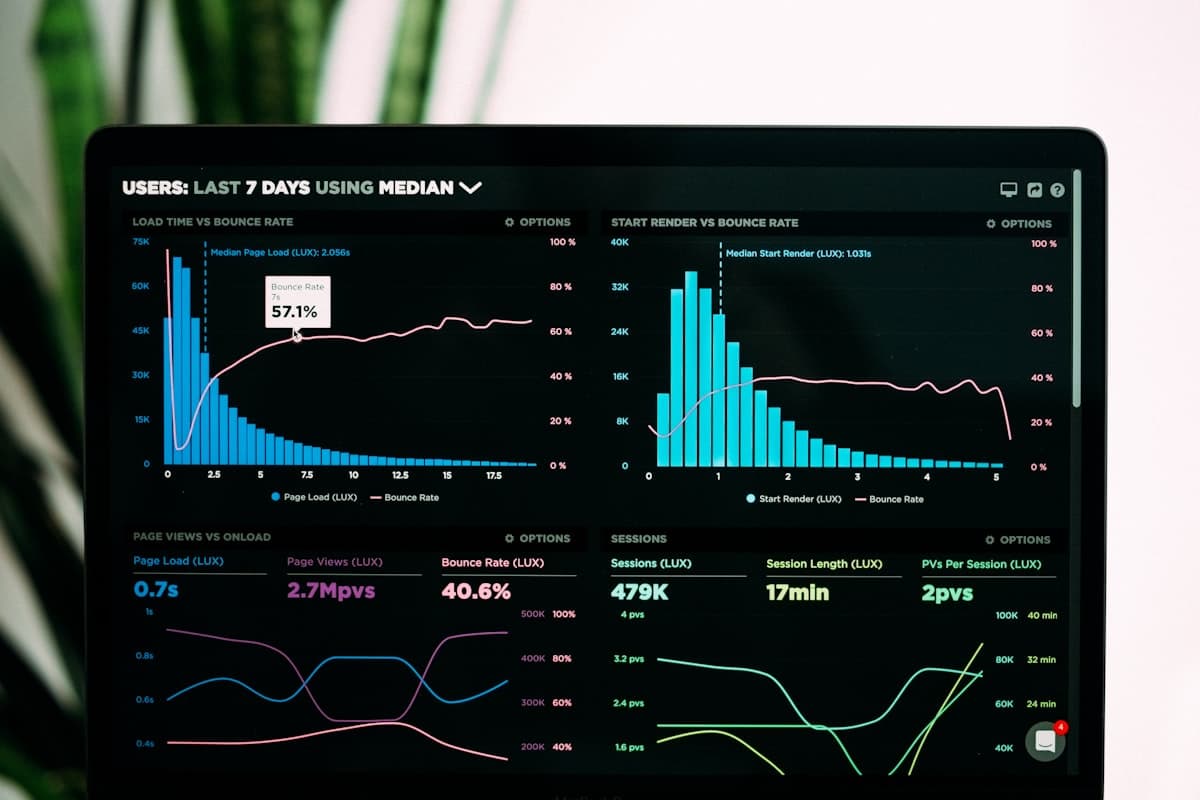
A productivity tracker is software that records how work time is actually spent — across applications, documents, projects and locations — and turns that record into something a manager can act on. That is the easy part to explain. The hard part, and the reason so many rollouts fail, is that 'productivity' is not a single number the software can read off a sensor. It is an inference built on top of raw activity data, and the quality of that inference depends entirely on what the tool measures and what you ask it to mean. This guide covers what these tools genuinely capture, the arithmetic behind the dashboards, where the measurements break down, and how to evaluate a tracker for a real team. It is written for the person who has to choose one and then defend that choice to both a finance director and the people being tracked.
GDPR-Compliant Employee Monitoring: Complete Guide for EU Companies
Employee monitoring in the European Union operates under some of the strictest data protection regulations in the world. The General Data Protection Regulation (GDPR), which has applied since May 2018, fundamentally reshaped how organizations can collect, process, and store employee data. With fines reaching up to 4% of global annual turnover or EUR 20 million (whichever is greater), non-compliance is not merely a legal risk but a potential business-ending event. Yet monitoring is not prohibited under GDPR; it simply must be conducted lawfully, transparently, and proportionately. This guide provides a comprehensive framework for implementing employee monitoring that satisfies GDPR requirements while delivering genuine business value. Explore Track Nexus to see how privacy-first monitoring works in practice across EU jurisdictions.
Ready to Transform Your Productivity?
Join thousands of teams using Track Nexus to optimize their workforce productivity. Schedule a personalized demo today.